UI / UX Design
HMS – Admin Dashboard UI
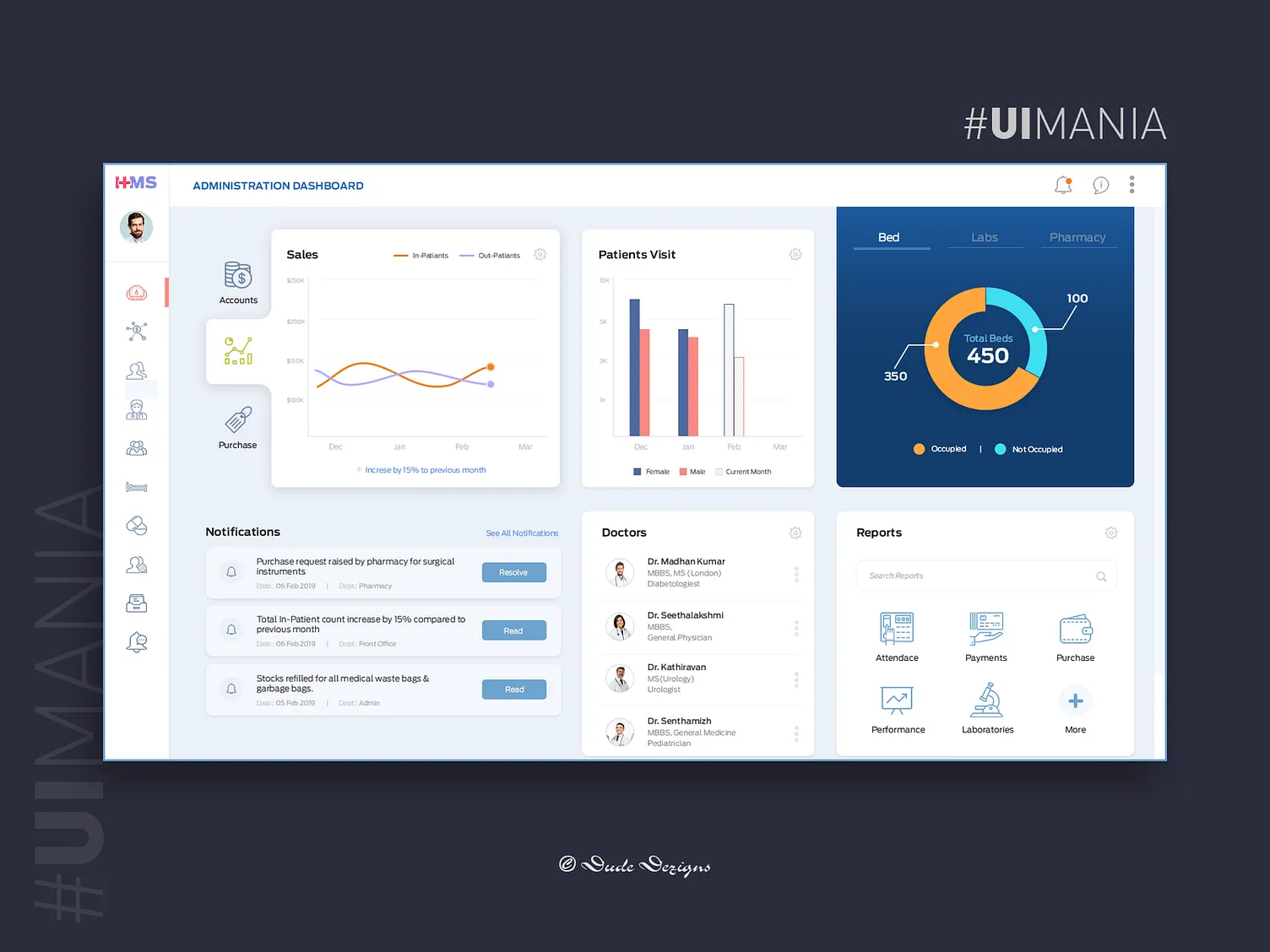
The UI is designed as a responsive web dashboard that provides real-time visibility into key hospital operations. It features intuitive navigation, modular widgets, and visual indicators.
Year :
2020
Industry :
Healthcare
Client :
Anonymus Client
Project Duration :
6 weeks
Problem :
Hospital front desk staff often struggle with fragmented systems, manual tracking, and lack of real-time data, leading to:
Delays in patient admission and discharge
Miscommunication about doctor schedules
Inefficient bed management
Poor visibility into hospital resource usage
These issues impact operational efficiency and patient experience.
Solution :
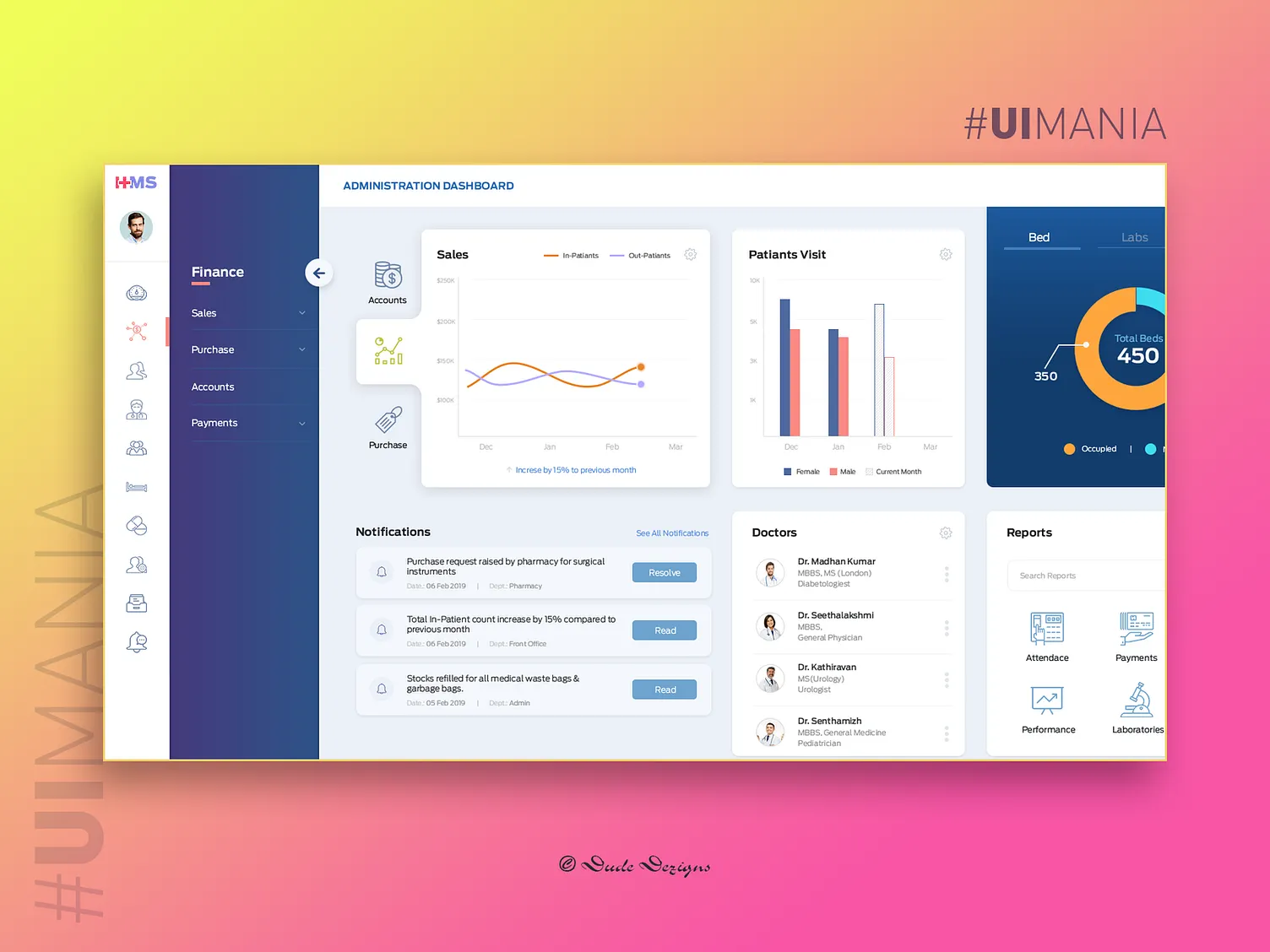
A centralized, user-friendly web dashboard that consolidates all critical hospital admin data into one interface. Key features include:
Live status updates for doctors, patients, and beds
Search and filter tools for quick access to information
Role-based access control for security
Color-coded indicators for urgency and availability
Mobile-friendly design for on-the-go access
Challenge :
Data Overload:
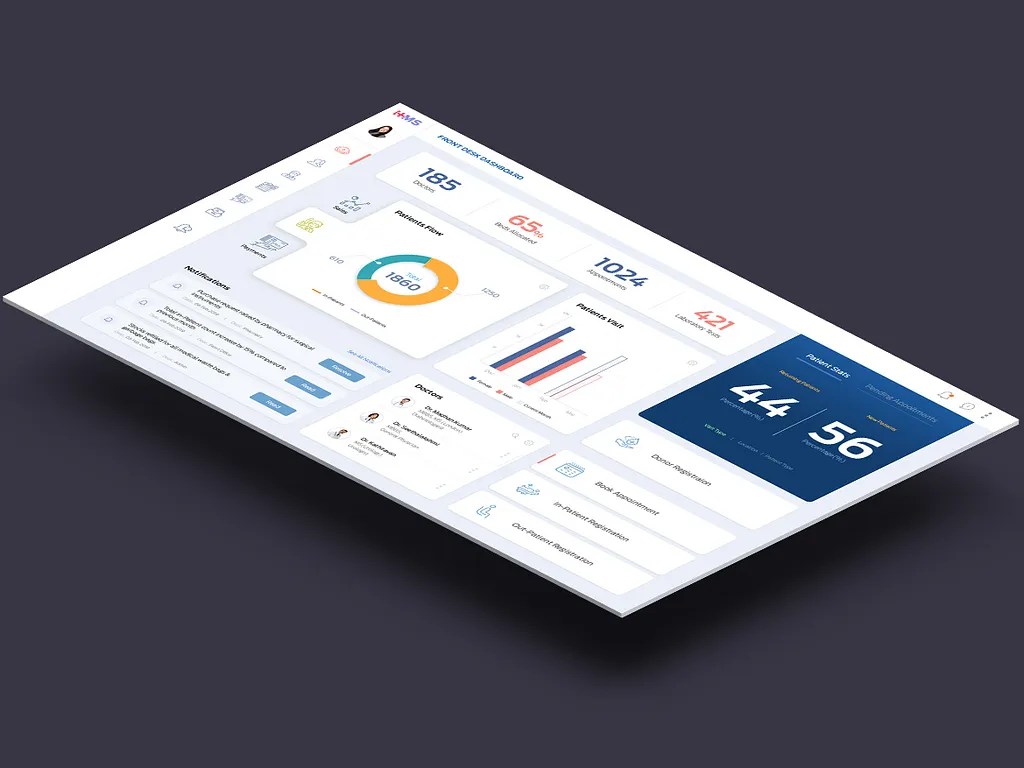
Simplified complex data using visual hierarchy, collapsible panels, and progressive disclosure.
Real-Time Syncing:
Integrated backend APIs to ensure live updates without page reloads.Accessibility:
Designed with WCAG guidelines to support users with visual or motor impairments.Scalability:
Modular design allows easy addition of new features like pharmacy or lab tracking.User Training:
Created onboarding flows and tooltips to reduce learning curve for non-tech-savvy staff.
Summary :
The Hospital Management Services dashboard transforms hospital front desk operations by offering a streamlined, real-time, and accessible interface. It empowers staff to manage resources efficiently, reduce errors, and improve patient care. The UX design focuses on clarity, speed, and adaptability, ensuring the solution remains effective as hospital needs evolve.
More Projects

New release
Preview
UI / UX Design
HMS – Admin Dashboard UI
The UI is designed as a responsive web dashboard that provides real-time visibility into key hospital operations. It features intuitive navigation, modular widgets, and visual indicators.
Year :
2020
Industry :
Healthcare
Client :
Anonymus Client
Project Duration :
6 weeks
Problem :
Hospital front desk staff often struggle with fragmented systems, manual tracking, and lack of real-time data, leading to:
Delays in patient admission and discharge
Miscommunication about doctor schedules
Inefficient bed management
Poor visibility into hospital resource usage
These issues impact operational efficiency and patient experience.
Solution :
A centralized, user-friendly web dashboard that consolidates all critical hospital admin data into one interface. Key features include:
Live status updates for doctors, patients, and beds
Search and filter tools for quick access to information
Role-based access control for security
Color-coded indicators for urgency and availability
Mobile-friendly design for on-the-go access
Challenge :
Data Overload:
Simplified complex data using visual hierarchy, collapsible panels, and progressive disclosure.
Real-Time Syncing:
Integrated backend APIs to ensure live updates without page reloads.Accessibility:
Designed with WCAG guidelines to support users with visual or motor impairments.Scalability:
Modular design allows easy addition of new features like pharmacy or lab tracking.User Training:
Created onboarding flows and tooltips to reduce learning curve for non-tech-savvy staff.
Summary :
The Hospital Management Services dashboard transforms hospital front desk operations by offering a streamlined, real-time, and accessible interface. It empowers staff to manage resources efficiently, reduce errors, and improve patient care. The UX design focuses on clarity, speed, and adaptability, ensuring the solution remains effective as hospital needs evolve.
More Projects
New release
Preview
UI / UX Design
HMS – Admin Dashboard UI
The UI is designed as a responsive web dashboard that provides real-time visibility into key hospital operations. It features intuitive navigation, modular widgets, and visual indicators.
Year :
2020
Industry :
Healthcare
Client :
Anonymus Client
Project Duration :
6 weeks
Problem :
Hospital front desk staff often struggle with fragmented systems, manual tracking, and lack of real-time data, leading to:
Delays in patient admission and discharge
Miscommunication about doctor schedules
Inefficient bed management
Poor visibility into hospital resource usage
These issues impact operational efficiency and patient experience.
Solution :
A centralized, user-friendly web dashboard that consolidates all critical hospital admin data into one interface. Key features include:
Live status updates for doctors, patients, and beds
Search and filter tools for quick access to information
Role-based access control for security
Color-coded indicators for urgency and availability
Mobile-friendly design for on-the-go access
Challenge :
Data Overload:
Simplified complex data using visual hierarchy, collapsible panels, and progressive disclosure.
Real-Time Syncing:
Integrated backend APIs to ensure live updates without page reloads.Accessibility:
Designed with WCAG guidelines to support users with visual or motor impairments.Scalability:
Modular design allows easy addition of new features like pharmacy or lab tracking.User Training:
Created onboarding flows and tooltips to reduce learning curve for non-tech-savvy staff.
Summary :
The Hospital Management Services dashboard transforms hospital front desk operations by offering a streamlined, real-time, and accessible interface. It empowers staff to manage resources efficiently, reduce errors, and improve patient care. The UX design focuses on clarity, speed, and adaptability, ensuring the solution remains effective as hospital needs evolve.
More Projects
New release
Preview